exFAT SDXC video data recovery and reconstruction effort, part I
A videographer accidentally reformatted (using macOS Disk Utility) a 512GB Micro SD card containing a single exFAT partition with important Insta360 X4 footage on it, creating an emtpy exFAT partition in its place. Subsequently, I hypothesise, the proprietary recovery tool Disk Drill was used to read from the older partition and write files from it back to the new exFAT partition on the patient disk, resulting in what I was given: a 512GB MicroSD with one exFAT partition containing the following:
/mnt/sdimg/
├── MISC
│   ├── RECRST_IDX0.SUCC
│   ├── RECRST_IDX1.SUCC
│   ├── VID_20251029_104334_00_001.insv  # 467712 bytes in size
│   ├── VID_20251103_132710_00_002.insv  # 467712 bytes in size
│   ├── VID_20251103_140314_00_003.insv  # 467712 bytes in size
│   ├── VID_20251103_141448_00_004.insv  # 15 .insv files in total, all the same size
├──.Spotlight-V100
│   ├── Store-V2
│   │   └── B52707A0-4804-42D2-8F7A-BB06DB21F0C8
│   │       ├── 0.directoryStoreFile
│   │       ├── 0.directoryStoreFile.shadow
│   │       ├── 0.indexArrays
│   │       ├── 0.indexBigDates
                # a bunch more spotlight metadata
The post-format writes here appear to be minimal, ~35MB, but they have not restored the proper prior state of the filesystem and thus have only fucked things up further. On a 512GB device this destructive overwrite is not particularly massive in magnitude (0.0067%), but it certainly doesn’t help.
Goal
Get as much playable video and audio back as is possible. Recovering filesystems would be nice, but I feel that ship has sailed. Highest priority are complete .insv files (dual-lens, dual-stream Insta360 format with support for fancy panning and stitching features in Insta360 Studio).
Approach
I first tried using TestDisk, which I hoped might reveal the old partition and filesystem structure. This kind of angle is probably what was attempted by Disk Drill though, and we are likely working with a worse starting state than it was. I don’t fancy our odds. Here’s what I see after a TestDisk’s “quick search”:
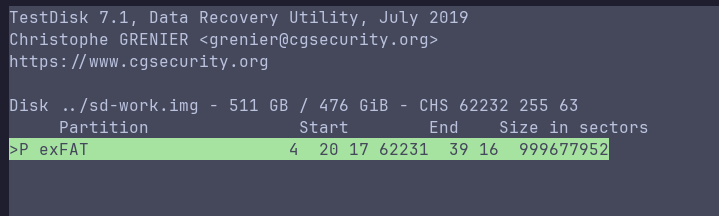
and from a “deep search”:
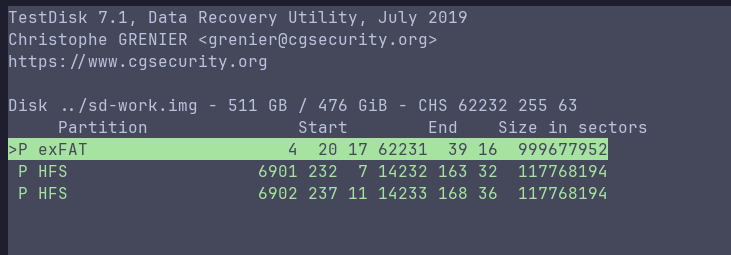
These previews don’t contain anything other than what we see in the surface filesystem tree above though.
Onward and into the weeds
Now working from a known-good image on fast media, mounting that exFAT partition gives me the files from the tree shown above. As well as the stub video files there’s a .plist, which would’ve been created by Spotlight on macOS before the reformat operation and recovered by whatever tool wrote the incomplete insv files. Inspecting this for timestamps, we can confirm our suspicions about the origin of these stub video files.
This tells us that:
- The volume was mounted by macOS on
2025-12-06with UUIDF38237B3-9180-3B3C-BFFA-3B62F8D59700 - The volume was mounted again on the on
2025-12-11 - Videographer formatted the disk that day
- Disk Drill wrote these files (stub videos, Spotlight metadata) back to the new exFAT partition on the patient, retaining original modify timestamps but not writing any actual video data.
I downloaded the free version of Disk Drill to verify this behaviour and it does indeed retain the old modify stamps when writing recovered files, supporting the cromulence of this timeline.
Carving
Christophe Grenier, author of TestDisk and rose among thorns, provides for free (donations accepted) a tool called PhotoRec. It uses the same beautiful TUI as TestDisk, and will carve a raw volume image for any of a long list of included file signatures (and can be extended with your own signatures if required). This is where I began, thinking that probably the limited magnitude of the destructive writes would save us.
The donor .insv
I asked the videographer for a donor/sample good file from the same camera, recorded with the same settings as the footage we’re carving for. This is that:
Input #0, mov,mp4,m4a,3gp,3g2,mj2, from '../samples/VID_20260211_132420_00_001.insv':
  Metadata:
    major_brand     : avc1
    minor_version   : 538182144
    compatible_brands: avc1isom
    creation_time   : 2026-02-11T16:24:20.000000Z
  Duration: 00:00:11.58, start: 0.000000, bitrate: 80095 kb/s
  Stream #0:0[0x1](eng): Video: hevc (Main) (hvc1 / 0x31637668), yuvj420p(pc, bt709), 2880x2880 [SAR 1:1 DAR 1:1], 37546 kb/s, 29.97 fps, 29.97 tbr, 30k tbn (default)
    Metadata:
      creation_time   : 2026-02-11T16:24:20.000000Z
      handler_name    : ?INS.HVC
      vendor_id       : [0][0][0][0]
      encoder         : HVC encoder
  Stream #0:1[0x2](eng): Video: hevc (Main) (hvc1 / 0x31637668), yuvj420p(pc, bt709), 2880x2880 [SAR 1:1 DAR 1:1], 32982 kb/s, 29.97 fps, 29.97 tbr, 30k tbn (default)
    Metadata:
      creation_time   : 2026-02-11T16:24:20.000000Z
      handler_name    : ?INS.HVC
      vendor_id       : [0][0][0][0]
      encoder         : HVC encoder
  Stream #0:2[0x3](eng): Audio: aac (LC) (mp4a / 0x6134706D), 48000 Hz, stereo, fltp, 189 kb/s (default)
    Metadata:
      creation_time   : 2026-02-11T16:24:20.000000Z
      handler_name    : ?INS.AAC
      vendor_id       : [0][0][0][0]
Stream mapping:
  Stream #0:0 -> #0:0 (hevc (native) -> wrapped_avframe (native))
  Stream #0:2 -> #0:1 (aac (native) -> pcm_s16le (native))
These .insv files when undamaged are mov containers with two HEVC video streams (one for each lens), and a 48000Hz AAC audio stream with two channels.
Vital nuggets
- ISO BMFF
ftypemajor brandavc1, compatibleavc1isommdatof length 16 bytes at offset 40 bytes- multiple
moov-lookin’ strings, where the first is an atom boundary I think - codec config (VPS/SPS/PPS for HEVC) seems to be stored in
hvcCinside amoov, not necessarily repeated, very unfortunate if lost. This likely applies to allmp4-type things but I am getting out of my depth here. - If
moovwas lost, you can have loads of valid video but nothing for a decoder to grab on to.
Initial carving attempts
Carving with PhotoRec and mov/mp4/3gp/3g2/jp2 signatures returned the following candidate files, some as large as 7.5GB, some as small as 30MB.
The files we carved with the first PhotoRec run:
# 142 of these files, ranging 7.5GB to 30MB.
$ ls ../recup_dir.1 | grep -v fixed | grep .mov | wc -l
142
...
-rw-r--r-- 1 jake jake   79M Feb  9 11:00 f108833280_ftyp.mov
-rw-r--r-- 1 jake jake  665M Feb  9 11:00 f107267584_ftyp.mov
-rw-r--r-- 1 jake jake   54M Feb  9 11:00 f107321856_ftyp.mov
-rw-r--r-- 1 jake jake  7.4G Feb  9 11:00 f90300928_ftyp.mov
-rw-r--r-- 1 jake jake  683M Feb  9 10:59 f90347008_ftyp.mov
-rw-r--r-- 1 jake jake  2.4G Feb  9 10:59 f84798464_ftyp.mov
...
Tried decoding those with ffprobe:
# all files give:
[mov,mp4,m4a,3gp,3g2,mj2 @ 0x555590f54e20] moov atom not found
f251422208_ftyp.mov: Invalid data found when processing input
An entirely missing moov atom in all carved files is not a good sign.
As what was basically a punt on these likely non-viable carved files, I tried unfuckulating them with untrunc and the footer from the donor/sample .insv, hoping we had carved something “complete” but truncated and that some generic bits of moov from the donor would help. untrunc output a bunch of 3MB - 15MB files from inputs much larger, with a majority being exactly 3179789 bytes. Trying to decode those, most gave:
[mov,mp4,m4a,3gp,3g2,mj2 @ 0x55561c6ece20] stream 0, contradictionary STSC and STCO
[mov,mp4,m4a,3gp,3g2,mj2 @ 0x55561c6ece20] error reading header
f152540672_ftyp_fixed.mp4: Invalid data found when processing input
However, we got a few which decoded thusly:
== f178419712_ftyp_fixed.mp4 ==
codec_name=hevc
codec_type=video
width=2880
height=2880
codec_name=hevc
codec_type=video
width=2880

# and

== f162619904_ftyp_fixed.mp4 ==
codec_name=hevc
codec_type=video
width=2880
height=2880
codec_name=hevc
codec_type=video
width=2880
height=2880
codec_name=aac
codec_type=audio
duration=1.434767
Those actually play in VLC as ~1 second audio clips with recognisably microphone-generated wind-noise, demonstrating that we have carved something other than total junk, but also that we’re probably shit out of luck without going back in for some intact moov atoms. Before going back to the image though, I decided to do a little more punting.
Hunting for any decodable stills in either of the two video streams found in any of the carved and/or untruncated files, ignoring errors and outputting anything vaguely imagey:
Script:
#!/usr/bin/env bash
set -u

outdir="./frames"
mkdir -p "$outdir"

shopt -s nullglob

for f in ../*; do
  # skip non-files
  [[ -f "$f" ]] || continue

  base=$(basename "$f")
  name="${base%.*}"

  echo "==> Processing: $f"

  # probe how many video streams exist
  vcount=$(ffprobe -v error -select_streams v \
           -show_entries stream=index \
           -of csv=p=0 "$f" | wc -l)

  if [[ "$vcount" -eq 0 ]]; then
    echo "    no video streams, skipping"
    continue
  fi

  # iterate each video stream (0,1,...)
  idx=0
  while [[ $idx -lt $vcount ]]; do
    outsub="$outdir/${name}_s${idx}"
    mkdir -p "$outsub"

    echo "    stream $idx → $outsub"

    ffmpeg -hide_banner -loglevel error \
      -err_detect ignore_err \
      -fflags +genpts+discardcorrupt+igndts \
      -i "$f" -map 0:v:$idx -an \
      -vsync 0 \
      "$outsub/%06d.jpg"

    idx=$((idx+1))
  done
done
Output:
# well fuck me
$ ls -lR frames/ | grep jpg | wc -l
622
The first recovered frames
 |
 |
|---|
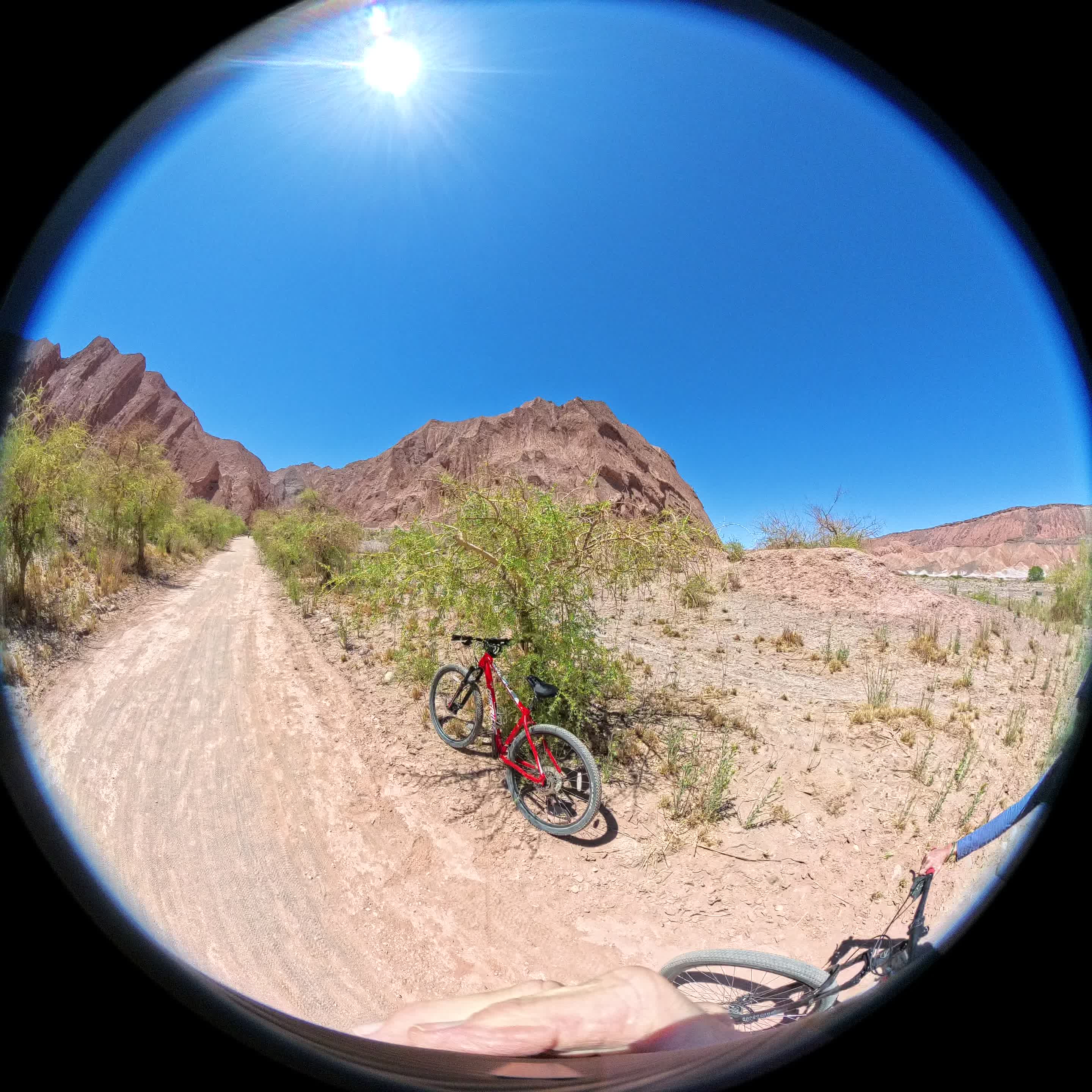
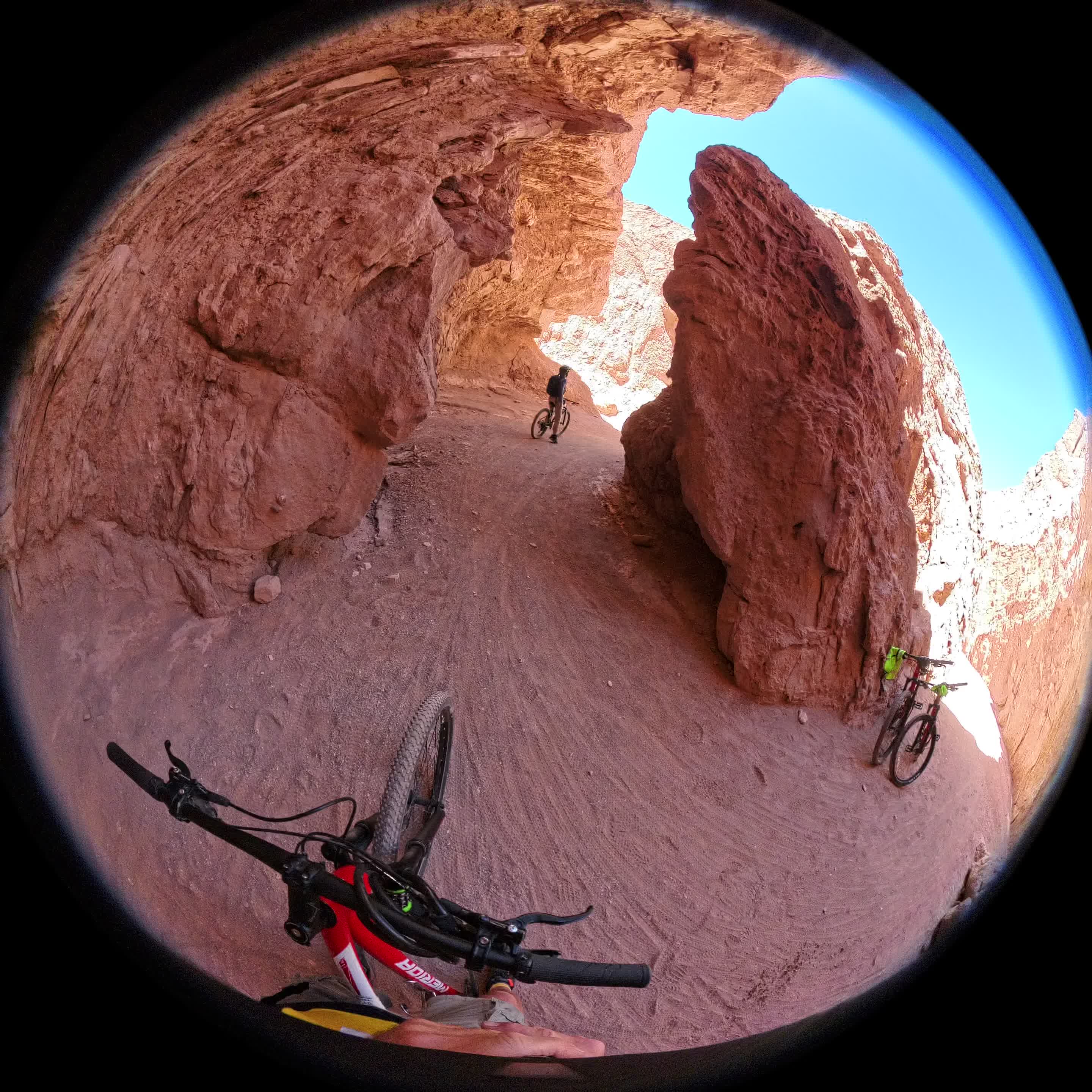
These frames were recovered from the files which had been untruncated using metadata from the donor video. Running the same frame decoding routine on the batch of raw/moovless carved files did not yield any fruit. I wasn’t expecting this, and it gave me some irritating new vigor when really resignation would’ve been preferable.
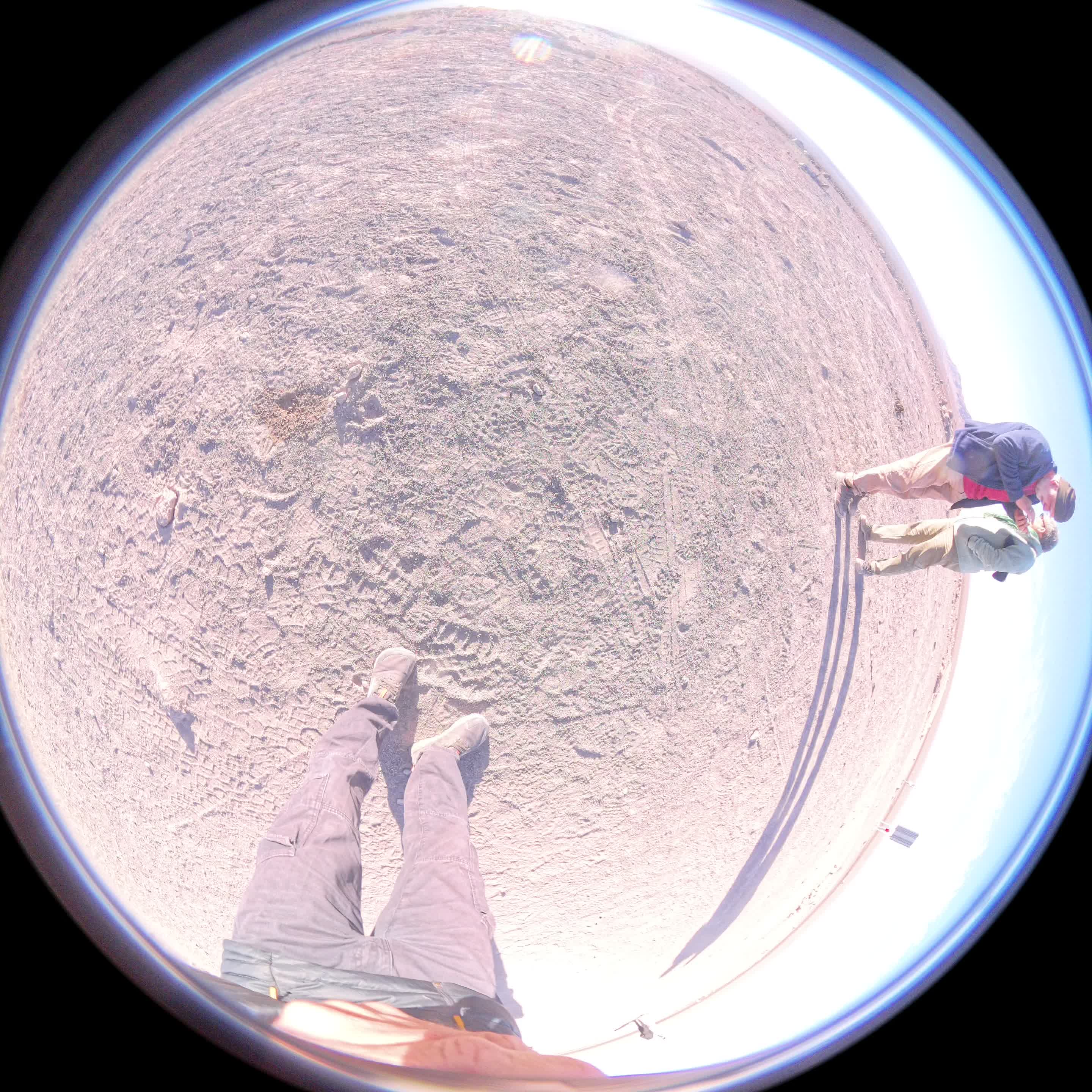
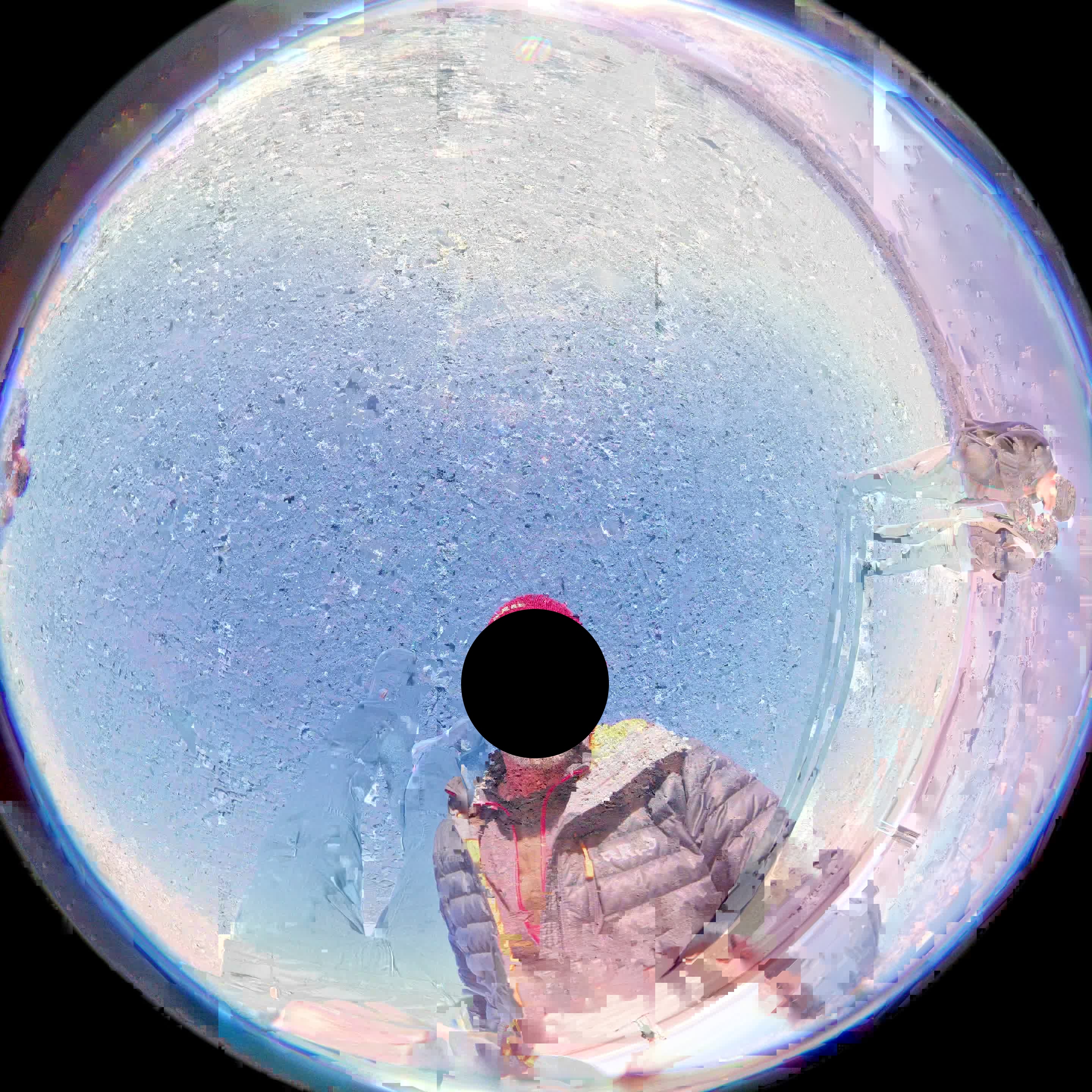
After a quick tangent about ffmpeg’s handling of accidentally ingested text files I eyeballed all 622 .jpgs. There were approximately 1 good frames and 20-to-30 mangled ones extracted from each of the handful of decodable carved + untruncated files. All of these were extracted from stream 01 of their respective files, while stream 00 returned nothing in all cases. From some streams we extracted 2 good frames, one from the front sensor of the Insta360 and one from the back.
Example of two frames from opposite lenses extracted from the same video stream
 |
 |
|---|
Given that in a healthy a .insv file each of these two streams represents video from one of the camera’s two sensors, the discovery of frames from both sensors in one stream is disturbing. It implies we’ve got some imaginary continuity going on; merged streams, or bits of each being smeared together by whatever non-original moov stuff we grafted on from the donor. We do have a couple of uncorrupted stills here, but ultimately this is still soup.
Knowing that there was good data to be found but that the streams I’d uncovered so far were junk, I went off the deep end a bit. I vibe-coded several .insv-specific carvers, the best of which was only about as effective as PhotoRec at exhuming .insv files from the soup. I hexdumped, I checksummed, and I strove for results not at all consistent with my levels of technical ineptitude. I failed.
Identical broken files recovered by several different convoluted means
While failing though, I noticed something. Some of my extra-picky moov-hunting heuristically-questionable carvers recovered stuff that precisely (by md5sum) matched the output of the PhotoRec + untrunc process from which those stills were decoded. This is not actually a very useful discovery in itself, but it did lead me to decide that a local maximum had been reached. The recovery limit was being imposed by fragmentation in the image rather than the fidelity of the carving. Considering that this is exFAT on flash we’re talking about, a wiser person would probably have reached this conclusion much earlier.
What now?
Vibes-based extraction of non-contiguous bits of video, better lossy reconstruction with the bits we’ve already carved, and whatever else I’m able to work out. That’s part II.